
CSV to PDF
Convert CSV data to PDF tables online
Turn CSV data files into clean PDF tables. Rows and columns arrive laid out on printable pages that open the same everywhere.

 Save to Google Drive


Private and Secure PDF Conversion
Your files travel over an encrypted connection and are permanently deleted from our servers within a few hours.
Turn CSV Data Into PDF Tables
Convert raw exports into readable, printable documents in seconds, right in your browser — no spreadsheet software needed.
Ready to Print and Share
A PDF opens the same everywhere — send your data to people who don't have a spreadsheet app, or file it knowing the layout is fixed.
From CSV to PDF in Three Quick Steps
Upload your data files, click convert, and download PDF tables — online, in seconds.
How to Convert CSV to PDF Online
- Add your CSV files — drop them into the box above or pick them from your device.
- Click Convert to PDF — every file starts converting right away.
- Download your PDFs — one file arrives as a single PDF, several arrive together in one archive.
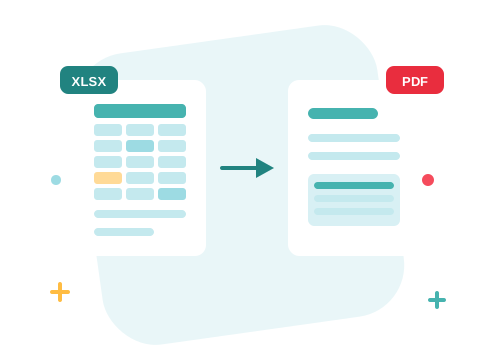
From Raw Export to Readable Table
A CSV is easy for machines and miserable for people. Converted here, it opens like a spreadsheet and prints into tidy PDF pages — rows and columns aligned, long sheets flowing onto extra pages, ready for a report appendix or an archive folder.
A Secure Online CSV to PDF Converter
Convert your files right in your browser — nothing to install. Your documents travel over an encrypted connection and are permanently deleted from our servers within a few hours. Start right away and upgrade when you need higher limits.

The Rest of Your Spreadsheet Toolkit
Working with real workbooks? Excel to PDF converts .xls and .xlsx the same way, and PDF to Excel goes back the other direction. Several exports for one report? Merge the converted PDFs into a single document.
See all PDF tools
CSV to PDF — Frequently Asked Questions
How do I convert a CSV file to PDF online?
Add your CSV files to the box above and click Convert to PDF. Your PDF tables are ready to download in seconds.
Will my columns and rows stay lined up?
Yes. The file opens like a spreadsheet and prints into the PDF as a table — long sheets simply flow onto additional pages.
Are formulas calculated?
CSV files carry plain values, not formulas — what's in the file is exactly what lands on the page. If you need calculated results, export the CSV from your spreadsheet app after the numbers are final.
Can I convert Excel workbooks here too?
Yes — this converter also accepts .xls and .xlsx workbooks, and the Excel to PDF page handles them with the same engine.
Is it safe to convert my files with ZonePDF?
Yes. Files travel over an encrypted connection, are processed automatically, and are permanently deleted from our servers within a few hours.
