
PDF Summarizer
Summarize PDF documents with AI online

Get the short version of any long PDF. Upload the document, tap the summary suggestion, and read the gist in seconds — then ask follow-up questions until it all makes sense.
Uploading your document...
What would you like to know?
Answers come from your document(s). You can also ask for multi-step work like summarize, delete a page, and compress.
Private and Secure Document Chat
Your file travels over an encrypted connection and is permanently deleted from our servers within a few hours.
The Short Version of a Long PDF
Reports, contracts, papers, manuals — upload the document and get the gist in seconds, right in your browser.
Built for Follow-Ups
A summary is a starting point — ask about any section, term, or figure and drill down without reading all the pages yourself.
Summarize a PDF in Three Quick Steps
Upload your document, ask for the summary, and read the short version — online, in seconds.
How to Summarize a PDF Online
- Add your PDF — drop it into the box above or pick it from your device, Google Drive, or Dropbox.
- Tap the ready-made suggestion — Summarize this document in bullet points — or ask in your own words.
- Read the summary next to the document — and keep asking: key points, dates, what a section means.
A Summary You Can Interrogate
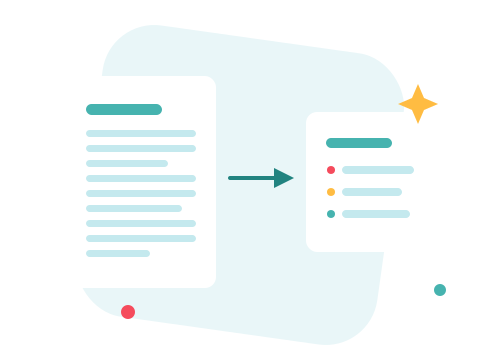
Most summarizers hand you a wall of text and call it done. Here the summary opens a conversation: ask for the key points of one chapter, the dates and amounts, or a plain-language version of the legal part. Answers come from the pages of your document — and the assistant says so when something simply is not in it.
A Secure Online PDF Summarizer
Summarize right in your browser — nothing to install. Your document travels over an encrypted connection and is permanently deleted from our servers within a few hours, and the conversation lives only in your browser. Start right away and upgrade when you need higher limits.

When You Need More Than the Gist
Want a longer conversation with the document? Chat with PDF is built for back-and-forth. Need the work done, not just described? The AI PDF assistant can compress, merge, and convert by request. And when you need every word, PDF to Text extracts the whole thing.
See all PDF tools
PDF Summarizer — Frequently Asked Questions
How do I summarize a PDF online?
Add your PDF to the box above and tap the ready-made suggestion — Summarize this document in bullet points — or ask for a summary in your own words. The short version appears in the chat within seconds.
Can I control what the summary looks like?
Yes — it's a conversation, not a button. Ask for bullet points or a paragraph, a shorter or longer version, plain language, or a summary of just one section.
How long a document can it summarize?
Long documents are fine — a big file may just take a little longer. For very large material you can also work through it a section at a time.
Does it work with scanned PDFs?
Answers come from the text stored in the PDF, so a scanned page with no text layer gives the assistant little to work with. Documents exported from Word, Excel or a web page work best.
Is my document kept private?
Your file travels over an encrypted connection and is permanently deleted from our servers within a few hours. The conversation itself lives in your browser and is gone when you close the page.
What if I need the full text rather than a summary?
Use the PDF to Text tool — it extracts everything the document says into a plain .txt file you can take anywhere.

