
Word to PDF
Convert Word documents to PDF online
Turn a Word document into a PDF that looks the same everywhere. Add DOC or DOCX files and download PDFs with the fonts, margins and page breaks kept exactly in place.

 Save to Google Drive


Private and Secure PDF Conversion
Your files travel over an encrypted connection and are permanently deleted from our servers within a few hours.
From Word Document to PDF in Seconds
Turn DOC and DOCX files into PDFs right in your browser — no software to download or install.
The Layout Locks Into Place
A PDF shows your fonts, margins, and page breaks the same way on every screen — no more documents that shift when opened elsewhere.
Share Documents That Look Right Everywhere
Upload your Word files, click convert, and download PDFs that keep your formatting — online, in seconds.
How to Convert Word to PDF Online
- Add your Word documents — drop them into the box above or pick them from your device.
- Click Convert to PDF — the conversion starts right away.
- Download your PDFs — each document becomes its own PDF file.
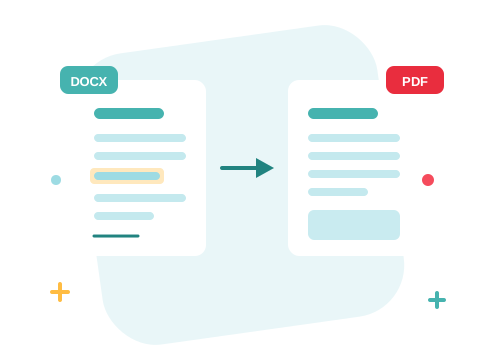
What You Wrote Is What They See
A Word file can reflow on a machine with different fonts or a different Word version — headings jump, tables drift, page numbers move. The converter renders your document to PDF the way it would print, so the version you send is the version everyone sees, on any device, with nothing to edit by accident.
A Secure Online Word to PDF Converter
Convert your files right in your browser — nothing to install. Your documents travel over an encrypted connection and are permanently deleted from our servers within a few hours. Start right away and upgrade when you need higher limits.

Keep Working with Your New PDF
Need changes later? Convert the PDF back to Word and keep editing. Combine several converted files with Merge PDF, or convert your Excel spreadsheets and PowerPoint slides the same way.
See all PDF tools
Word to PDF — Frequently Asked Questions
How do I convert a Word document to PDF online?
Add your Word document to the box above and click Convert to PDF. Your PDF is ready to download in seconds.
Will my document look the same as it does in Word?
The converter renders your document to PDF the way it would print — text, images, tables, and page breaks stay where they were, and the result looks the same on every device.
Can I convert both DOC and DOCX files?
Yes — both the classic DOC format and the modern DOCX convert to PDF the same way.
Do I need Microsoft Word installed?
No. The conversion runs online in your browser, so it works even on a computer that has never had Word installed.
How many Word documents can I convert at once?
You can add a batch of documents without an account and convert them all in one go — sign in to raise the limit. Each document becomes its own PDF.
Is it safe to convert my files with ZonePDF?
Yes. Files travel over an encrypted connection, are processed automatically, and are permanently deleted from our servers within a few hours.
