
PDF to HTML
Convert PDF documents to web pages online
Turn a PDF into a web page. One self-contained HTML file per document — the text stays selectable, fonts and images ride inside, and it opens in any browser.

 Save to Google Drive


Private and Secure PDF Conversion
Your files travel over an encrypted connection and are permanently deleted from our servers within a few hours.
Turn a PDF Into a Web Page
Each document becomes a single .html file that opens in any browser, on any device — no reader app required.
Everything Travels Inside
Fonts and images are embedded in the file itself — the page looks right offline, on a phone, or forwarded as an attachment.
From PDF to HTML in Three Quick Steps
Upload your PDFs, click convert, and download web pages — online, in seconds.
How to Convert PDF to HTML Online
- Add your PDF files — drop them into the box above or pick them from your device.
- Click Convert to HTML — every document starts converting right away.
- Download your web pages — one self-contained .html per PDF, several together in one archive.
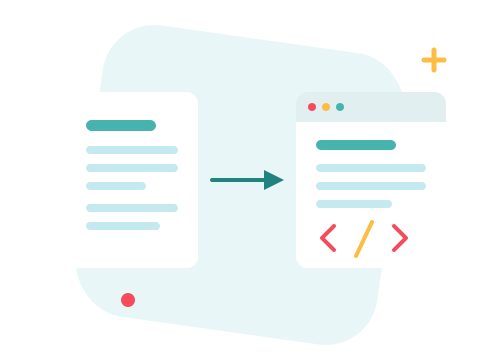
Real Text, Faithful Layout
The page keeps the document's exact look — columns, tables, and images where they belong — while the words stay real, living text: selectable, copyable, findable with Ctrl+F, and readable by search engines. It's the same document, minus the PDF reader.
A Secure Online PDF to HTML Converter
Convert your files right in your browser — nothing to install. Your documents travel over an encrypted connection and are permanently deleted from our servers within a few hours. Start right away and upgrade when you need higher limits.

Pick the Right Output for the Job
HTML is for viewing the document anywhere. To re-edit the content with its formatting, PDF to Word is the better path; for the raw words alone, PDF to Text. And if the HTML rides in an email, compress the source PDF first — smaller input, smaller page.
See all PDF tools
PDF to HTML — Frequently Asked Questions
How do I convert a PDF to HTML online?
Add your PDF files to the box above and click Convert to HTML. Each document becomes a single .html file, ready to download in seconds.
Is the text in the HTML selectable and searchable?
Yes — the page keeps the document's exact look while the text stays real text: select it, copy it, find it with Ctrl+F, and search engines can read it.
Do I get one file or a folder of resources?
One self-contained file per PDF — fonts and images are embedded inside the HTML itself, so it opens correctly offline and can be emailed as a single attachment. That also means it can be larger than the original PDF.
Can I use the HTML to build my website?
It's best for publishing the document as-is: the markup reproduces the PDF's layout with positioned elements rather than hand-written semantic HTML. If you want the content to re-edit and restyle, PDF to Word is the better path.
What happens with scanned PDFs?
A scanned page has no text layer, so it lands in the HTML as an image — it displays fine, but there is no text to select, and ZonePDF does not perform OCR.
Is it safe to convert my files with ZonePDF?
Yes. Files travel over an encrypted connection, are processed automatically, and are permanently deleted from our servers within a few hours.
