
Grayscale PDF
Convert a PDF to black and white online
Turn a color PDF black and white. Text, graphics, and images all convert to true grayscale — easier on printers, often smaller to send.

 Save to Google Drive


Private and Secure PDF Conversion
Your files travel over an encrypted connection and are permanently deleted from our servers within a few hours.
Every Page, Black and White
Text, graphics, and photos all convert to true grayscale in seconds, right in your browser — no software to install.
Kinder to Printers and Budgets
Black-and-white pages print cheaper, satisfy grayscale-only submission rules, and the file often gets smaller on the way.
Grayscale a PDF in Three Quick Steps
Upload your PDFs, click convert, and download the black-and-white copies — online, in seconds.
How to Convert a PDF to Grayscale Online
- Add your PDF files — drop them into the box above or pick them from your device.
- Click Convert to Grayscale — every page starts converting right away.
- Download your PDFs — one file arrives as a single PDF, several arrive together in one archive.
True Grayscale, Not Just a Gray Look
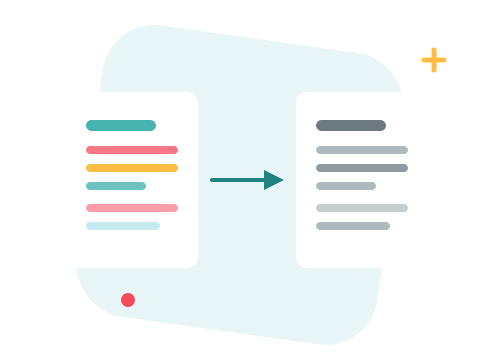
Printing a color PDF on a mono printer still sends color data — and copy shops bill by what's in the file, not what comes out of the tray. This conversion rewrites the document's actual color model: text, charts, and photographs become genuinely grayscale, so the file measures as black-and-white to any printer, validator, or submission portal that checks.
A Secure Online Grayscale Converter
Convert your files right in your browser — nothing to install. Your documents travel over an encrypted connection and are permanently deleted from our servers within a few hours. Start right away and upgrade when you need higher limits.

The Print-Prep Combo
Going to a printer or a strict portal? Grayscale here, then compress the result so it uploads and emails without a fight. Merge the batch into one document first if it should arrive as a single file — and if the pipeline wants images rather than a PDF, PDF to TIFF has you covered.
See all PDF tools
Grayscale PDF — Frequently Asked Questions
How do I convert a PDF to grayscale online?
Add your PDF files to the box above and click Convert to Grayscale. The black-and-white copy downloads in seconds; the original stays untouched.
Does it convert images too, or just text?
Everything — text, vector graphics, and photos are all converted to true grayscale, so no hidden color remains to trigger a color charge at the print shop.
Will the grayscale PDF be smaller?
Often, yes — grayscale image data is lighter than color. The exact saving depends on the document; text-only files change little.
Why convert a PDF to black and white?
Mono laser printers and copy shops charge less for black and white, some journals and agencies require grayscale submissions, and drafts simply don't need ink-hungry color.
Can I get the color back afterwards?
No — the conversion is one-way, which is why you download a new copy and your original upload stays as it was. Keep the color version for later.
Is it safe to convert my files with ZonePDF?
Yes. Files travel over an encrypted connection, are processed automatically, and are permanently deleted from our servers within a few hours.
