
PDF to Text
Extract text from PDF documents online
Pull the text out of a PDF into a plain .txt file. Quotes, notes, and whole chapters — ready to paste anywhere text goes.

 Save to Google Drive


Private and Secure PDF Conversion
Your files travel over an encrypted connection and are permanently deleted from our servers within a few hours.
Pull the Text Straight Out of a PDF
Quotes, references, whole chapters — extracted into a plain .txt file in seconds, right in your browser, no software to install.
Plain Text Goes Everywhere
A .txt file opens in any editor, on any system, forever — and pastes cleanly into notes, emails, scripts, and search tools.
From PDF to Text in Three Quick Steps
Upload your PDFs, click convert, and download plain text files — online, in seconds.
How to Convert PDF to Text Online
- Add your PDF files — drop them into the box above or pick them from your device.
- Click Convert to Text — extraction starts right away, nothing to configure.
- Download your .txt files — one per PDF, several together in one archive.
What You Get — and What a Scan Can't Give
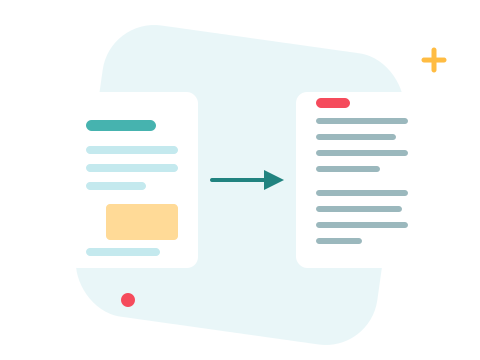
The extractor reads the text layer your PDF already carries and writes it out as clean lines in reading order. Documents born digital — exports, reports, ebooks — convert beautifully. A scanned page, though, is a photograph: there is no text inside it to extract, and ZonePDF does not perform OCR, so scans come back empty rather than pretending.
A Secure Online PDF Text Extractor
Convert your files right in your browser — nothing to install. Your documents travel over an encrypted connection and are permanently deleted from our servers within a few hours. Start right away and upgrade when you need higher limits.

When Raw Text Isn't Enough
Need the document editable with its formatting intact? That's PDF to Word. Want answers instead of the whole transcript? AI PDF reads the document and answers questions or summarizes it for you.
See all PDF tools
PDF to Text — Frequently Asked Questions
How do I convert a PDF to text online?
Add your PDF files to the box above and click Convert to Text. Each PDF becomes a plain .txt file, ready to download in seconds.
Does it work on scanned PDFs?
Only PDFs with a real text layer. A scan is a photograph of a page — there is no text in it to extract, and ZonePDF does not perform OCR, so a scanned page comes back empty.
Is the layout preserved?
No — that's the point. You get clean plain text in reading order; columns, tables, and styling flatten into simple lines that paste anywhere.
What's the difference from PDF to Word?
PDF to Word rebuilds the document with its formatting for editing. PDF to Text drops the formatting and gives you the raw words — smaller, simpler, and readable by any app or script.
How many PDFs can I convert at once?
You can add a batch without an account — each PDF gets its own .txt file, several arrive together in one archive. Sign in to raise the limit.
Is it safe to convert my files with ZonePDF?
Yes. Files travel over an encrypted connection, are processed automatically, and are permanently deleted from our servers within a few hours.
