
PDF to TIFF
Convert PDF pages to TIFF images online
Turn PDF pages into TIFF images. Every page becomes its own full-color TIFF at the quality you choose — ready for fax, filing, and print pipelines.

 Save to Google Drive


Private and Secure PDF Conversion
Your files travel over an encrypted connection and are permanently deleted from our servers within a few hours.
Turn PDF Pages Into TIFF Images
Every page becomes its own full-color TIFF in seconds, right in your browser — no software to download or install.
The Format Strict Systems Ask For
Fax gateways, legal e-filing, scanners' document pipelines — when the upload form says TIFF only, this is the converter that answers.
From PDF to TIFF in Three Quick Steps
Upload your PDFs, pick a quality, and download TIFF images — online, in seconds.
How to Convert PDF to TIFF Online
- Add your PDF files — drop them into the box above or pick them from your device.
- Pick an image quality — High for print and archives, Medium for a balanced default — and click Convert to TIFF.
- Download your images — every page arrives as its own TIFF, several together in one archive.
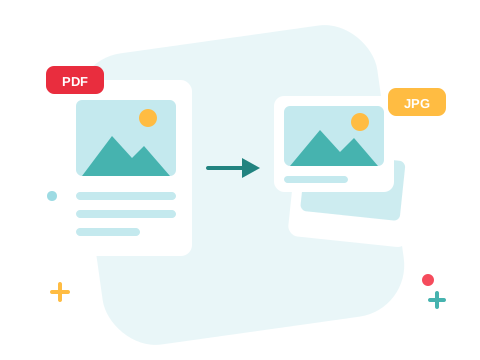
Made for Pipelines, Not Just People
TIFF survives where trendier formats aren't welcome: court e-filing portals, medical records systems, fax services, and archival scanners have demanded it for decades. Each page renders at the resolution you choose, in full color on a white background, ready for whatever strict intake form stands between you and done.
A Secure Online PDF to TIFF Converter
Convert your files right in your browser — nothing to install. Your documents travel over an encrypted connection and are permanently deleted from our servers within a few hours. Start right away and upgrade when you need higher limits.

Pick the Right Image Format
For screens and docs, PDF to PNG is lossless and lighter; for photo-heavy pages, PDF to JPG makes the smallest files. And if the pipeline only needs part of the document, extract those pages first and convert just them.
See all PDF tools
PDF to TIFF — Frequently Asked Questions
How do I convert a PDF to TIFF online?
Add your PDF files to the box above, pick an image quality, and click Convert to TIFF. Every page becomes its own TIFF image, ready to download in seconds.
Why TIFF instead of JPG or PNG?
Because a system on the other end asks for it: fax services, document management pipelines, legal e-filing, and print workflows often accept only TIFF. For everyday screen use, PNG or JPG is usually the better pick.
Do I get one TIFF per page or one file for the whole PDF?
One TIFF per page — a numbered image for every page of the document. Several files arrive together in one archive.
Which image quality should I pick?
High is for print and archival detail, Medium is a solid default, and Low keeps files small for previews. TIFF files run large at high quality — that's the format's nature.
Is the output color or black and white?
Full 24-bit color, rendered on a white background — exactly as the page would print.
Is it safe to convert my files with ZonePDF?
Yes. Files travel over an encrypted connection, are processed automatically, and are permanently deleted from our servers within a few hours.
