
Repair PDF
Fix and recover corrupted PDF files online
Rebuild a PDF that won't open. The document structure is written fresh from everything still readable — and verified before you download it.

 Save to Google Drive


Private and Secure PDF Repair
Your files travel over an encrypted connection and are permanently deleted from our servers within a few hours.
Rebuild a PDF That Won't Open
Damaged downloads, files a viewer calls corrupted, attachments that arrive broken — rebuilt in seconds, right in your browser.
Rebuilt, Then Verified
The repaired copy is opened and checked before you get it — if a document truly can't be saved, the tool says so instead of pretending.
Repair a PDF in Three Quick Steps
Upload the broken PDF, click repair, and download the rebuilt copy — online, in seconds.
How to Fix a Corrupted PDF Online
- Add the damaged PDF — drop it into the box above or pick it from your device.
- Click Repair — the document structure is rewritten from everything still readable.
- Download the fixed copy — verified to open before it reaches you.

A Fresh Skeleton for Your Document
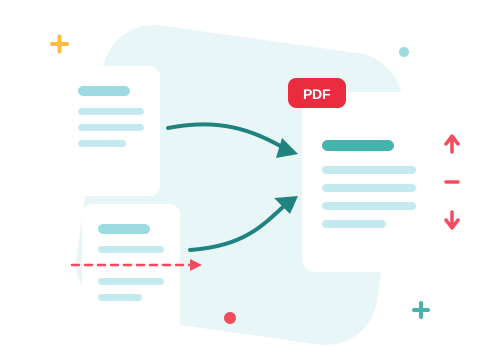
Most "corrupted" PDFs aren't missing their content — the bookkeeping around it broke: an index that points nowhere, a download cut off mid-write, an object a viewer refuses to touch. The repair walks whatever is still readable and writes a brand-new file around it — fresh index, clean structure, standards-conform output. It's the same recovery engine that quietly fixes damaged files whenever anything is uploaded to ZonePDF.
A Secure Online PDF Repair Tool
Fix your files right in your browser — nothing to install. Your documents travel over an encrypted connection and are permanently deleted from our servers within a few hours. Start right away and upgrade when you need higher limits.

After the Rescue
A repaired file is a normal file again — edit it, merge it with the rest of the paperwork, or compress it before it goes back out. Prevention tip: files damaged in transit usually come from interrupted transfers — a compressed, smaller file survives flaky connections better.
See all PDF tools
Repair PDF — Frequently Asked Questions
How do I repair a corrupted PDF online?
Add the broken PDF to the box above and click Repair. The document structure is rebuilt and verified, and the fixed copy downloads in seconds.
What kinds of damage can be fixed?
Structural damage — broken cross-reference tables, truncated downloads, malformed objects, files a viewer rejects as damaged. The rebuild writes a fresh, standards-clean copy of everything that is still readable.
Can every broken PDF be recovered?
Honestly, no. Content that is physically missing — an upload that stopped halfway, overwritten bytes — cannot be conjured back. If the rebuild cannot produce a readable document, the tool says so rather than handing you a broken file.
Will the repaired PDF look different?
The pages that survive render as they did — text, images, and layout are carried over. The file itself is written fresh, which is exactly what makes it open again.
My PDF opens but behaves strangely — is repair still useful?
Yes. Files that print blank pages, crash a specific viewer, or fail in other tools often carry subtle structural faults — a rebuild normalizes them.
Is it safe to repair my files with ZonePDF?
Yes. Files travel over an encrypted connection, are processed automatically, and are permanently deleted from our servers within a few hours.
