
PDF to PPT
Convert a PDF to editable PowerPoint slides online
Turn a PDF into a PowerPoint deck. Add your file and download a PPTX where every page is a slide — ready to present, reorder or edit.

 Save to Google Drive


Private and Secure PDF Conversion
Your files travel over an encrypted connection and are permanently deleted from our servers within a few hours.
PDF Pages Into PowerPoint Slides
Every page becomes a slide, in order, in seconds — right in your browser, with no software to install.
A Deck You Can Keep Editing
The result is a standard PPTX file that opens in PowerPoint, Google Slides, or LibreOffice Impress — ready to present or rework.
Turn a Finished PDF Back Into a Working Deck
Upload your PDF, let the converter rebuild it slide by slide, and download a PPTX — online, in seconds.
How to Convert PDF to PPT Online
- Add your PDF — drop it into the box above or pick it from your device.
- Click Convert to PPT — the conversion starts right away.
- Download your PowerPoint presentation (PPTX).
Present It, Don't Re-Type It
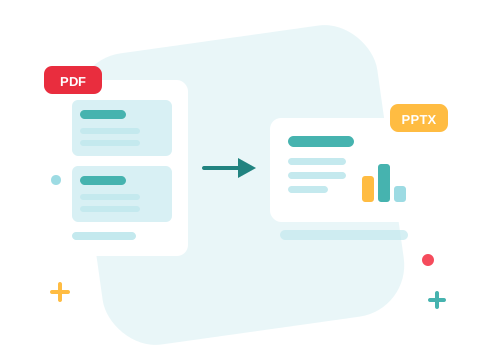
When all you have is the PDF export of a deck — yours, a colleague's, a conference handout — rebuilding it by hand is an afternoon lost. The converter turns each page into a slide so you can present the material as-is, reorder it, and edit what came through instead of starting from a blank deck.
A Secure Online PDF to PPT Converter
Convert PDF files right in your browser — nothing to install. Your documents travel over an encrypted connection and are permanently deleted from our servers within a few hours. Start right away and upgrade when you need higher limits.

Shape the Deck Before and After
Only need part of the document? Split the PDF and convert just those pages into slides. Prefer prose to slides? Convert the PDF to Word instead. And when the deck is final, turn it back into a PDF to share.
See all PDF tools
PDF to PPT — Frequently Asked Questions
How do I convert a PDF to PowerPoint online?
Add your PDF to the box above and click Convert to PPT. Your PowerPoint presentation is ready to download in seconds.
How do PDF pages map to slides?
One to one — every page of the PDF becomes a slide, in the original order, so a page count of twelve gives you a twelve-slide deck.
Can I edit the slides afterwards?
Yes — the result is a PPTX presentation you can open and rework: reorder slides, change text that came through from the PDF, and add your own content.
Do I need PowerPoint installed?
No. The conversion runs online, and the PPTX file opens in Microsoft PowerPoint, Google Slides, or LibreOffice Impress.
How many PDF files can I convert at once?
You can add a batch of PDF files without an account and convert them all in one go. Sign in to raise the limit.
Is it safe to convert PDF files with ZonePDF?
Yes. Files travel over an encrypted connection, are processed automatically, and are permanently deleted from our servers within a few hours.
