
PDF to Excel
Convert PDF tables to an editable Excel XLSX online
Pull the tables out of a PDF and into a spreadsheet. Add your file and download an editable XLSX that opens in Excel, Google Sheets or LibreOffice Calc.

 Save to Google Drive


Private and Secure PDF Conversion
Your files travel over an encrypted connection and are permanently deleted from our servers within a few hours.
From PDF Table to Editable Cells
Stop retyping numbers out of reports and statements — rows and columns land in a spreadsheet you can sort, filter, and calculate.
Standard XLSX Output
The result is a regular XLSX workbook that opens in Microsoft Excel, Google Sheets, or LibreOffice Calc — in seconds, right in your browser.
Get Your Numbers Back Into a Spreadsheet
Upload your PDF, let the converter rebuild the tables, and download an editable XLSX — online, in seconds.
How to Convert PDF to Excel Online
- Add your PDF — drop it into the box above or pick it from your device.
- Click Convert to Excel — the conversion starts right away.
- Download your editable spreadsheet (XLSX).
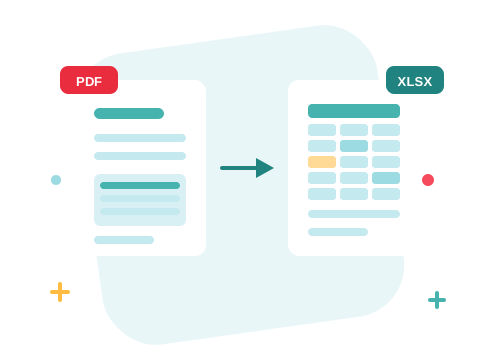
Cells You Can Calculate With, Not a Picture of a Table
The converter reads the text in your PDF and rebuilds each table as real spreadsheet cells — not one merged blob, not an image. Bank statements, price lists, and report tables become data you can sum and sort the moment the file opens. It works from the text stored in the PDF, so digital documents with selectable text convert best.
A Secure Online PDF to Excel Converter
Convert PDF files right in your browser — nothing to install. Your documents travel over an encrypted connection and are permanently deleted from our servers within a few hours. Start right away and upgrade when you need higher limits.

Work the Document From Every Angle
Only one section has the tables? Split the PDF and convert just those pages. Need the prose too? Get it with PDF to Word. And when the spreadsheet is final, turn Excel back into a PDF for sharing.
See all PDF tools
PDF to Excel — Frequently Asked Questions
How do I convert a PDF to Excel online?
Add your PDF to the box above and click Convert to Excel. Your editable XLSX spreadsheet is ready to download in seconds.
What format does the spreadsheet come in?
You get an XLSX file — the standard Excel format. It opens in Microsoft Excel, Google Sheets, and LibreOffice Calc.
Do the tables stay editable?
Yes — rows and columns come through as real spreadsheet cells, so you can sort, filter, and calculate instead of retyping the numbers.
Does it work with scanned PDFs?
The converter reads the text already stored in the PDF. A scan is only a photo of a page — it has no text layer to read, so the cells would come out empty. Digital PDFs with selectable text convert best.
How many PDF files can I convert at once?
You can add a batch of PDF files without an account and convert them all in one go. Sign in to raise the limit.
Is it safe to convert PDF files with ZonePDF?
Yes. Files travel over an encrypted connection, are processed automatically, and are permanently deleted from our servers within a few hours.
