
PDF to PNG
Convert PDF pages to PNG images online
Turn PDF pages into crisp PNG images. Every page becomes its own picture at the quality you choose — sharp text, clean lines, no compression artifacts.

 Save to Google Drive


Private and Secure PDF Conversion
Your files travel over an encrypted connection and are permanently deleted from our servers within a few hours.
Turn PDF Pages Into PNG Images
Convert every page of a PDF into its own PNG in seconds, right in your browser — no software to download or install.
Lossless, Crisp, Pixel-Sharp
PNG keeps text and line art perfectly clean — no JPG compression artifacts around letters, borders, or diagrams.
From PDF to PNG in Three Quick Steps
Upload your PDFs, pick a quality, and download PNG images — online, in seconds.
How to Convert PDF to PNG Online
- Add your PDF files — drop them into the box above or pick them from your device.
- Pick an image quality — High for print, Medium for screens, Low for small previews — and click Convert to PNG.
- Download your images — every page arrives as its own PNG, several together in one archive.
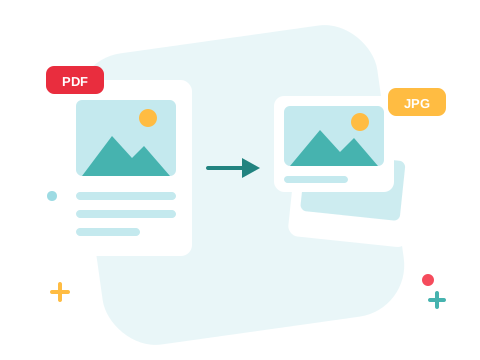
The Format Slides and Docs Deserve
JPG was built for photographs — around sharp letters it smears. PNG is lossless: a page of text, a diagram, or a chart converts into an image that stays clean at any zoom, ready for slide decks, wikis, and docs that need a picture of a page rather than the page itself.
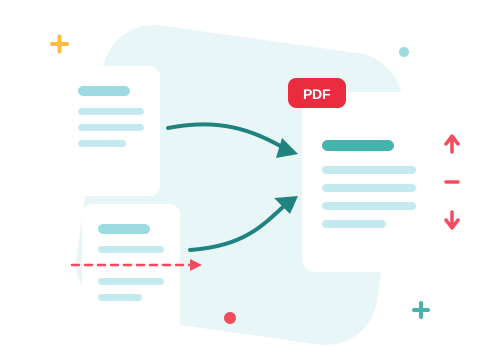
A Secure Online PDF to PNG Converter
Convert your files right in your browser — nothing to install. Your documents travel over an encrypted connection and are permanently deleted from our servers within a few hours. Start right away and upgrade when you need higher limits.

Only Need Some of the Pages?
Extract the pages you need first and convert just those. Photo-heavy documents compress better as PDF to JPG, and when an image needs to become a document again, PNG to PDF closes the loop.
See all PDF tools
PDF to PNG — Frequently Asked Questions
How do I convert a PDF to PNG online?
Add your PDF files to the box above, pick an image quality, and click Convert to PNG. Every page becomes its own PNG image, ready to download in seconds.
Which image quality should I pick?
High is for print and zoomed-in detail, Medium is a solid default for screens, and Low keeps files small for previews and thumbnails.
PNG or JPG — which should I choose?
PNG is lossless — text, diagrams, and line art stay perfectly sharp. JPG makes smaller files and suits photo-heavy pages. If you're not sure, PNG is the safer pick for documents.
Is the PNG background transparent?
No — pages render on a solid white background, exactly as they would print. The output is full-color PNG without an alpha channel.
How do multi-page PDFs arrive?
Every page becomes its own numbered PNG. A single page downloads directly; several images arrive together in one archive.
Is it safe to convert my files with ZonePDF?
Yes. Files travel over an encrypted connection, are processed automatically, and are permanently deleted from our servers within a few hours.
