
Excel to PDF
Convert Excel spreadsheets to PDF online
Turn a spreadsheet into a PDF anyone can open. Add XLS, XLSX or CSV files and download documents laid out the way your sheet would print — ready to email or archive.

 Save to Google Drive


Private and Secure PDF Conversion
Your files travel over an encrypted connection and are permanently deleted from our servers within a few hours.
Spreadsheets Into Shareable PDFs
Send your numbers as a document anyone can open — in seconds, right in your browser, with no software to install.
XLS, XLSX and CSV Accepted
Modern workbooks, legacy Excel files, and plain CSV exports all convert the same way — even mixed in a single batch.
Turn a Spreadsheet Into a Document Anyone Can Open
Upload your Excel files, click convert, and download print-ready PDFs — online, in seconds.
How to Convert Excel to PDF Online
- Add your spreadsheets — drop XLS, XLSX or CSV files into the box above or pick them from your device.
- Click Convert to PDF — the conversion starts right away.
- Download your PDFs — each spreadsheet becomes its own PDF file.
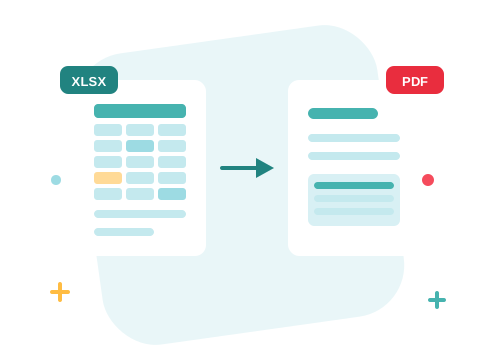
Numbers That Stay Where You Put Them
A spreadsheet invites edits — one stray keystroke and a total is wrong. The PDF version is a snapshot: the sheet is rendered onto pages the way it would print, following the page setup saved in the file, and nobody needs Excel to read it. Perfect for invoices, reports, and price lists that should be read, not rewritten.

A Secure Online Excel to PDF Converter
Convert your files right in your browser — nothing to install. Your documents travel over an encrypted connection and are permanently deleted from our servers within a few hours. Start right away and upgrade when you need higher limits.

Round-Trip When You Need To
Got a PDF and need the numbers back? Convert PDF to Excel and keep calculating. Convert your Word documents the same way, or bundle a report and its spreadsheets into one file with Merge PDF.
See all PDF tools
Excel to PDF — Frequently Asked Questions
How do I convert an Excel file to PDF online?
Add your spreadsheet to the box above and click Convert to PDF. Your PDF is ready to download in seconds.
Which spreadsheet formats can I convert?
XLS, XLSX, and CSV files all convert to PDF — you can even mix them in one batch.
How will my spreadsheet be laid out on the page?
The sheet is rendered to PDF pages the way it would print from your spreadsheet app, following the page setup saved in the file — a wide sheet flows across as many pages as it needs.
Do I need Excel installed?
No. The conversion runs online in your browser, and the PDF opens anywhere — no spreadsheet app required on either end.
How many spreadsheets can I convert at once?
You can add a batch of spreadsheets without an account and convert them all in one go — sign in to raise the limit. Each file becomes its own PDF.
Is it safe to convert my files with ZonePDF?
Yes. Files travel over an encrypted connection, are processed automatically, and are permanently deleted from our servers within a few hours.
