
PPT to PDF
Convert PowerPoint presentations to PDF online
Turn a PowerPoint presentation into a PDF anyone can open. Add PPT or PPTX files and download a document with one page per slide, exactly as designed.

 Save to Google Drive


Private and Secure PDF Conversion
Your files travel over an encrypted connection and are permanently deleted from our servers within a few hours.
Slides Anyone Can Open
Turn a presentation into a PDF that opens on any device — no PowerPoint needed, nothing to download or install.
Every Slide Becomes a Page
Slides convert one-to-one into PDF pages, in order, with your design and text kept in place — ready to share or print as handouts.
Share the Deck, Not the Software Requirement
Upload your presentations, click convert, and download PDFs that show every slide as designed — online, in seconds.
How to Convert PPT to PDF Online
- Add your presentations — drop PPT or PPTX files into the box above or pick them from your device.
- Click Convert to PDF — the conversion starts right away.
- Download your PDFs — each deck becomes its own PDF, one page per slide.
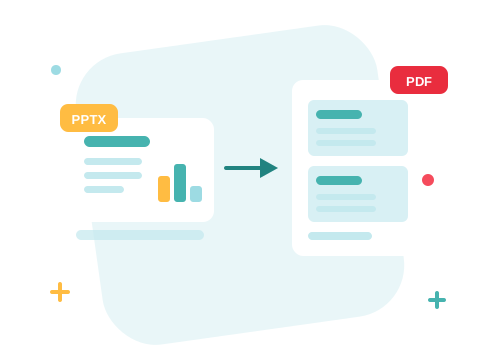
Your Presentation, Delivered as Designed
A deck sent as a PowerPoint file gambles on the other side's fonts and software version. As a PDF, every slide is a finished page: the layout is frozen, it opens in any browser or reader, and it prints cleanly as handouts. Send the PDF before the meeting and keep the PPTX for presenting.

A Secure Online PPT to PDF Converter
Convert your files right in your browser — nothing to install. Your documents travel over an encrypted connection and are permanently deleted from our servers within a few hours. Start right away and upgrade when you need higher limits.

More Ways to Work with Your Deck
Slide decks are heavy — compress the PDF before emailing it. Need to edit the slides again later? Convert the PDF back to PowerPoint. Your Word documents convert to PDF the same way.
See all PDF tools
PPT to PDF — Frequently Asked Questions
How do I convert a PowerPoint to PDF online?
Add your presentation to the box above and click Convert to PDF. Your PDF is ready to download in seconds.
What happens to my slides in the PDF?
Every slide becomes one PDF page, in the original order, with your design, images, and text kept in place.
Do animations and transitions survive the conversion?
No — a PDF is a static document, so each slide is captured as a still page. Everything visible on the slide comes through; motion does not.
Can I convert both PPT and PPTX files?
Yes — both the classic PPT format and the modern PPTX convert to PDF the same way.
How many presentations can I convert at once?
You can add a batch of presentations without an account and convert them all in one go — sign in to raise the limit. Each deck becomes its own PDF.
Is it safe to convert my files with ZonePDF?
Yes. Files travel over an encrypted connection, are processed automatically, and are permanently deleted from our servers within a few hours.
