
PDF to Word
Convert PDF to an editable Word DOCX online
Turn a PDF into an editable Word document. Add your file and download a DOCX you can open in Word, Google Docs or LibreOffice — with the layout kept as close to the original as possible.

 Save to Google Drive


Private and Secure PDF Conversion
Your files travel over an encrypted connection and are permanently deleted from our servers within a few hours.
From PDF to Editable Word
Turn a PDF into a DOCX file you can edit in Word, Google Docs, or LibreOffice — in seconds, right in your browser.
Formatting Stays in Place
Text, tables, and images keep their layout, so you start editing instead of rebuilding the document.
Turn a PDF Into an Editable Word Document
Upload your PDF, let the converter do the work, and download a Word document that's ready for editing — online, in seconds.
How to Convert PDF to Word Online
- Add your PDF — drop it into the box above or pick it from your device.
- Click Convert to Word — the conversion starts right away.
- Download your editable Word document (DOCX).
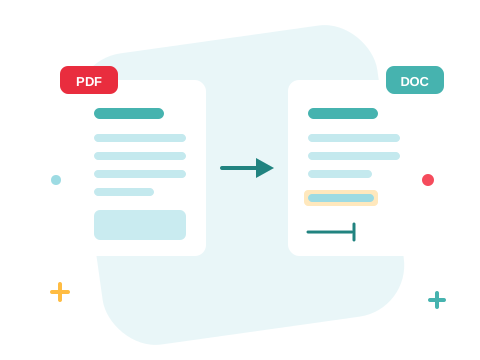
From PDF to DOCX Without Rebuilding the Layout
The converter reads the structure of your PDF and rebuilds it as a Word document — paragraphs, tables, and images land where they belong, not in one long jumble of text. Open the DOCX in Microsoft Word, Google Docs, or LibreOffice and pick up right where the PDF left off.
A Secure Online PDF to Word Converter
Convert PDF files right in your browser — nothing to install. Your documents travel over an encrypted connection and are permanently deleted from our servers within a few hours. Start right away and upgrade when you need higher limits.

Convert in Both Directions — and Beyond
Done editing? Convert Word back to PDF for sharing. Need the numbers instead? Extract them with PDF to Excel. For a quick fix, you can also edit the PDF directly without converting at all.
See all PDF tools
PDF to Word — Frequently Asked Questions
How do I convert a PDF to Word online?
Add your PDF to the box above and click Convert to Word. Your editable Word document is ready to download in seconds.
Can I convert a PDF to DOCX?
Yes — the converter outputs a DOCX file, the standard Word format. It opens in Microsoft Word, Google Docs, and LibreOffice.
Will my formatting survive the conversion?
The converter keeps the original layout — text, tables, and images stay where they were, so you can start editing instead of rebuilding the document.
Do I need Word or Adobe Acrobat installed?
No. The conversion runs online in your browser, and the resulting DOCX opens in any word processor — Microsoft Word, Google Docs, or LibreOffice.
Is it safe to convert PDF files with ZonePDF?
Yes. Files travel over an encrypted connection, are processed automatically, and are permanently deleted from our servers within a few hours.
How many PDF files can I convert at once?
You can add a batch of PDF files without an account and convert them all in one go. Sign in to raise the limit.
